
An active instructor plus agreed days, time ranges and schedule validity period.
Follow these steps
Open setup
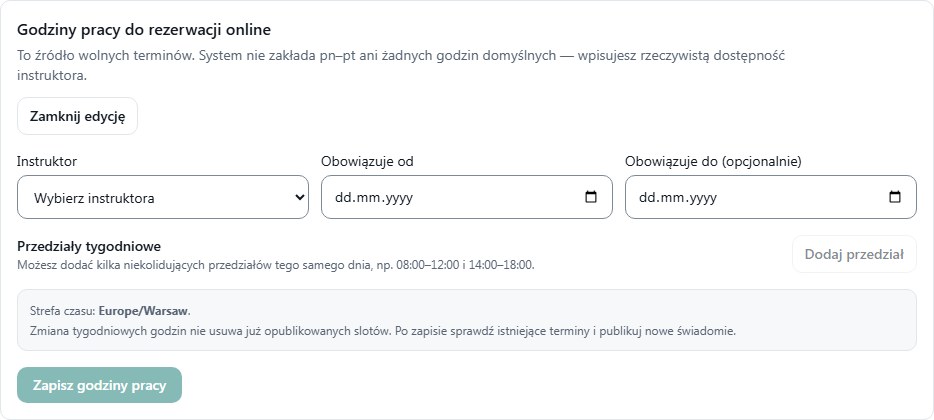
Under Schedule expand Instructor working hours — setup and select Set working hours.
Select instructor and dates
Choose the instructor. Enter Valid from; fill Valid to only when the schedule has a defined end date.
Add intervals
Select Add interval. For each row choose Day, From and To. For a midday break, create two separate ranges, for example 08:00–12:00 and 14:00–18:00.
Review the full week
Remove unnecessary rows. Ranges for the same day cannot overlap and end time must be after start time. Times use Warsaw time.
Save and verify
Select Save working hours. Refresh Schedule and verify the intervals for the correct instructor. To let students choose slots, continue to publishing.
What to enter and what it means
- Valid from / to
- The validity period of this recurring schedule, not the date of one lesson.
- Day, From, To
- Recurring weekly ranges. An empty value does not create default working hours.
How to verify it worked
Schedule shows the saved working intervals for the instructor. Saving them alone does not create student bookings.
Changing weekly hours does not remove slots already published. Review those separately.
Multiple active schedules requires investigation by the system operator. Do not add another schedule just to test.